
Paradise POS Technology + Local Swipe Pay Support
One Powerful POS. Configured for the Way You Do Business.
Run sales, payments, inventory, employees, customers, online orders, reporting, and more from one customizable iPad point-of-sale system.
Swipe Pay helps design your Paradise POS solution around your industry, workflow, equipment needs, and payment-processing goals—with a Swipe Pay specialist guiding you from consultation through launch and beyond.
✓ Restaurant & Retail Solutions ✓ Processor Flexibility ✓ Personalized Configuration ✓ Swipe Pay Specialist
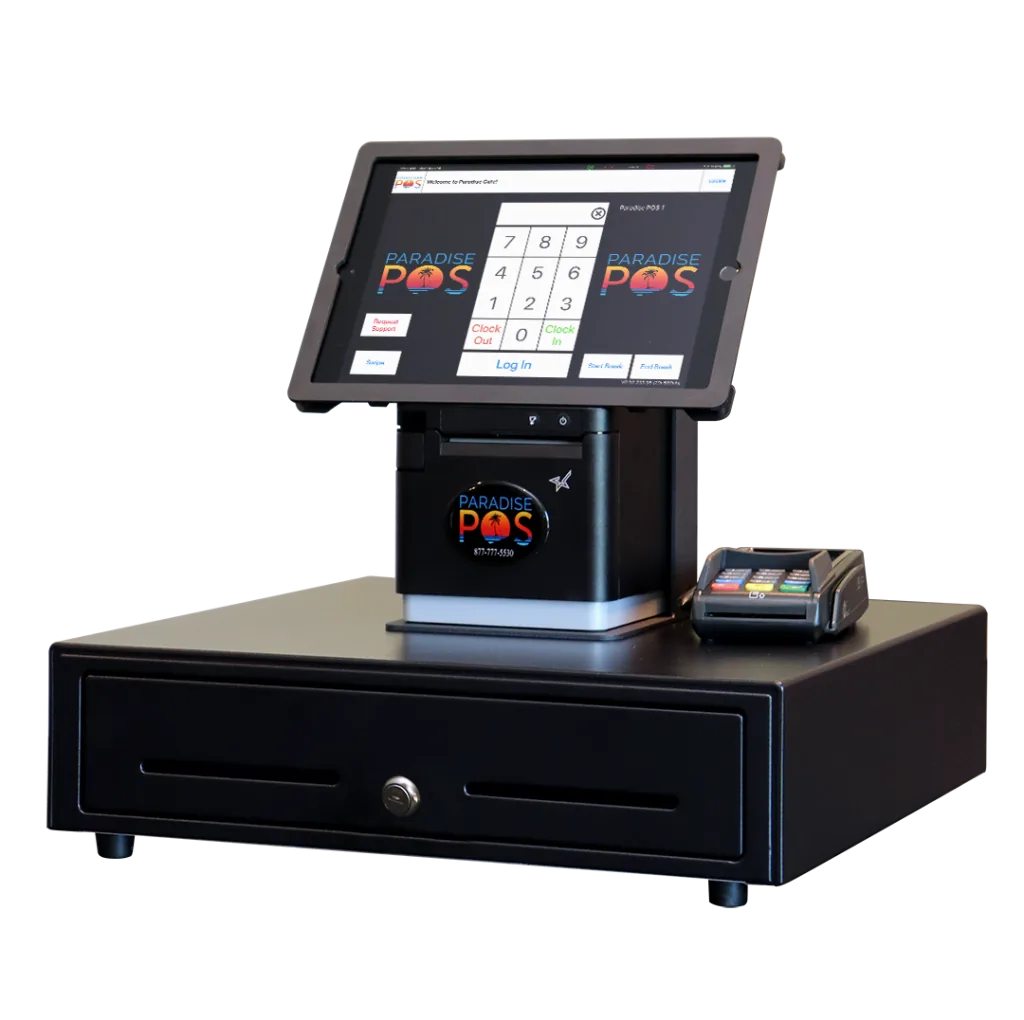
INTRODUCTION
Run More of Your Business From One Connected System
Paradise POS brings point-of-sale technology, payment processing, inventory, employees, customers, online ordering, loyalty, reporting, and industry-specific tools into one configurable platform.
Accept Payments Your Way
Support compatible EMV, contactless, mobile, countertop, and customer-facing payment experiences.
Work From a Familiar Interface
Paradise POS uses Apple iPad technology to provide employees with an intuitive interface that can simplify training and daily use.
Manage More Than Transactions
Manage inventory, menus, products, employees, customers, promotions, discounts, and reporting—and review supported sales information remotely through a mobile-friendly online dashboard.
Processor Flexibility and Real Support
Paradise POS supports multiple processing options, so Swipe Pay can build an approved processing proposal around your business. Paradise offers 24/7 in-house technical support, and Swipe Pay adds a Swipe Pay specialist.
Industries
Paradise POS for the Way You Operate
Your industry determines more than the images on your POS screen. It affects how products are created, how employees enter orders, how inventory is tracked, how customers pay, which peripherals are required, how discounts work, and which compliance tools matter. Swipe Pay starts with your business model and builds the Paradise POS system from there.
- Table-Service Restaurants
Give servers the tools to deliver better service from the moment a table is opened until the final payment is completed.
Paradise POS can support:
- Dining-room layouts
- Table assignments
- Open and guest checks
- Unlimited modifiers
- Special instructions
- Split and shared checks
- Multiple payment methods
- Tableside ordering
- Pay-at-the-table workflows
- Suggested gratuity
- Kitchen and bar routing
- Inventory tracking
- Employee permissions
- Sales reporting
- Gift cards and loyalty
- Repeat items
Built for family restaurants, casual and fine dining, diners, steakhouses, seafood, Mexican, Italian, and Asian restaurants, hotel restaurants, and independent restaurant groups. Your Swipe Pay specialist will review your layout, stations, kitchen areas, service model, menu, and busiest periods before recommending a system.
- Quick-Service Restaurants
Keep the line moving and the order accurate while managing costs, products, employees, and performance.
Paradise POS can support:
- Fast counter ordering
- Customizable order screens
- Menu categories
- Combo groups
- Unlimited modifiers with pricing
- Automated employee prompts
- Suggested upselling
- Customer-facing displays
- Integrated and contactless payments
- Online ordering
- Curbside pickup and delivery
- Drive-through order workflows
- Kitchen Display Systems
- Inventory management
- Labor controls
- Gift cards, loyalty, and cloud reporting
Built for quick-service restaurants, sandwich shops, delis, burger, chicken, wing, and pizza concepts, ice cream shops, carryout restaurants, food courts, and concessions. Paradise can prompt employees to offer upgrades, add-ons, or complementary products during ordering.
- Fast-Casual Restaurants
Speed at the counter and flexibility throughout the business, without sacrificing menu customization, online sales, or management visibility.
Paradise POS can support:
- Counter-service ordering
- Menu customization
- Modifiers and add-ons
- Combo groups
- Online ordering
- Curbside pickup
- Delivery
- Customer-facing displays
- Kitchen displays
- Contactless payments
- Loyalty rewards
- Gift cards
- Employee management
- Inventory
- Real-time reporting
- Mobile ordering devices
Built for fast-casual restaurants, cafés, bakeries, coffee shops, juice and smoothie bars, dessert concepts, pizzerias, taquerias, salad and bowl concepts, and grab-and-go restaurants.
- Bars and Nightclubs
Faster tabs, faster rounds, and better visibility when time and accuracy directly affect revenue.
Paradise POS can support:
- Open bar tabs
- Credit-card preauthorization
- Customizable preauthorization amounts
- Tab adjustments
- Shared tabs
- Split checks
- Repeat-round ordering
- Fast order-entry screens
- Hot-item categories
- Contactless payments
- Mobile ordering
- Employee permissions
- Bar inventory
- Liquor management
- Discounts and promotions
- Gift cards and loyalty
Built for standalone bars, sports bars, taverns, nightclubs, cocktail lounges, breweries, wineries, entertainment venues, and restaurant bar areas. Mobile iPad configurations can help staff take orders and payments throughout the venue.
- Food Trucks and Mobile
Take your POS wherever business takes you, even with limited space, changing locations, and unpredictable connectivity.
Paradise POS can support:
- Compact iPad workstations
- Mobile ordering devices
- Portable payments
- Menu items and modifiers
- Quick-service checkout
- Online ordering
- Order-ahead pickup
- Barcode and scale integration
- Inventory tracking
- Customer information
- Gift cards and loyalty
- Reporting
- Internet-independent order entry
Built for food trucks, trailers, mobile cafés, festival vendors, farmers-market merchants, pop-up restaurants, concessions, and mobile caterers. Exact offline payment behavior depends on the terminal, processor, transaction type, risk settings, and configuration.
- Retail and Specialty Retail
Retail management beyond the checkout counter: process transactions, manage inventory, understand sales, organize customers, reduce loss, and connect in-store and online activity.
Paradise POS can support:
- Product catalogs
- SKUs, sizes, colors, and variants
- Barcode scanning
- Label printing, including small-format labels
- Scale integration
- Inventory tracking
- Customer profiles and purchase history
- Promotions and discounts
- Employee permissions
- Returns
- Gift cards
- Loyalty programs
- E-commerce
- Buy online, pick up in store
- Mobile inventory counts
- Multi-location visibility
Built for boutiques, apparel stores, gift shops, jewelry stores, home décor, candle and specialty shops, shoe stores, children’s boutiques, craft and hobby stores, specialty markets, pet-supply and sporting-goods stores, garden centers, and multi-location retailers.
- Rental Businesses
Track every asset, rate, deposit, and return with capabilities that go beyond a standard product inventory.
Paradise POS can support:
- Short-term rentals
- Long-term rentals
- Multiple rental rates
- Rental deposits
- Rental time tracking
- Asset availability
- Serial-number tracking
- Customer accounts
- Customer identification and ID scanning
- Inventory movement
- Pickup and return workflows
- Payments
- Reporting
- Loyalty programs
Built for equipment, party-supply, furniture, tool, event, recreation, formalwear, and specialty-asset rentals. The system should be demonstrated with your real rental periods, deposits, late-return procedures, damage policies, and asset-tracking requirements.
- Liquor Stores
Inventory control from the bottle to the case, with fast checkout, age verification, and flexible promotions.
Paradise POS can support:
- Barcode scanning
- ID scanning
- Age verification
- Bottle inventory
- Case inventory
- Keg inventory
- Case-break functionality
- Mix-and-match offers
- Discounts and promotions
- Customer profiles
- Gift cards
- Loyalty programs
- Vendor and product reporting
- Product labels
- Loss-prevention controls
- Cloud reporting
Built for independent liquor stores, wine shops, beer retailers, specialty beverage stores, bottle shops, and multi-location liquor retailers. Your Swipe Pay specialist will help determine the right scanner, ID-verification equipment, labels, payment terminals, and inventory structure.
- Convenience Stores
Faster checkout for a more complicated inventory, especially during high-volume periods.
Paradise POS can support:
- Fast barcode scanning
- Product lookup
- Scale integration
- Label printing
- Diverse inventory
- Employee permissions
- Loss-prevention controls
- Lottery-ticket sales tracking
- ID scanning
- Age verification
- Integrated payments
- Contactless payments
- Promotions
- Gift cards and loyalty
- Customer information
- Cloud reporting
Built for independent convenience stores, neighborhood markets, gas-station stores, specialty mini-markets, campus stores, and travel and roadside stores.
- Vape and Smoke Shops
Faster checkout with stronger product and age controls for detailed variants, age-restricted sales, promotions, and loyalty.
Paradise POS can support:
- Barcode scanning
- ID scanning and age verification
- Scale integration
- Categories, brands, and flavors
- Sizes and colors
- Inventory counts
- Low-stock notifications
- Suggested ordering
- Margin-based price adjustments
- Mix-and-match promotions
- Buy-one-get-one offers
- Customer profiles
- Gift cards
- Loyalty rewards
- Employee permissions
- Reporting
Built for vape stores, smoke shops, tobacco retailers, and cigar stores. Businesses remain responsible for following all applicable federal, state, and local age restrictions, product rules, licensing requirements, and recordkeeping obligations.
Tell Us How Your Business Actually Works
Your industry is the starting point—not the complete recommendation. Your Swipe Pay specialist will also evaluate the factors below.
Solutions
More Than a Register. A System Built Around Your Operation.
A restaurant does not operate like a liquor store. A liquor store does not need the same tools as a rental business. A food truck should not be forced into a countertop system designed for a permanent storefront. Paradise POS offers specialized workflows for restaurant and retail businesses while maintaining one flexible, customizable iPad-based platform.
- Number of locations
- Number of employees
- Monthly processing volume
- Average transaction
- Checkout environment
- Mobility requirements
- Inventory complexity
- Barcode needs
- Scale requirements
- Age-verification requirements
- Rental workflows
- Menu complexity
- Kitchen production
- Online sales
- Current equipment
- Payment-pricing priorities
- Plans for growth
Swipe Pay will help you select the right configuration instead of forcing your business into a generic package.
Features
Flexible Technology Without a One-Size-Fits-All Setup
Configure the screen, products, menus, modifiers, pricing, inventory, employee access, peripherals, and reporting around your operation—with future software updates included in Paradise’s monthly technical-support subscription as represented by Paradise, and 24/7/365 U.S.-based support.
- Online Ordering
Direct Online Ordering and Retail E-commerce
Paradise Online Ordering Pro gives restaurants a direct ordering channel connected to the POS, advertised with a fixed monthly fee and no third-party vendor commissions. Retailers can connect in-store and online selling. Software, processing, delivery, and implementation fees may still apply.
Includes
- Order & Pay
Order and Pay at the Table
Guests can scan a QR code, view the menu, order, keep an open tab, select a gratuity, and pay, while employees can also take orders and payments tableside from supported iPads.
Includes
- Inventory
Inventory Control for Restaurant and Retail
Manage restaurant items, retail products, ingredients, bottles, cases, kegs, rental assets, serial numbers, and scale-based products. Accurate setup requires product records, costs, vendor data, and regular physical counts.
Includes
- Gift Cards & Loyalty
Gift Cards, Loyalty, and Promotions
Create prepaid value, reward visits and spending, maintain customer profiles, and run promotions that encourage repeat business. Program pricing, card requirements, consent procedures, and balance migration should be reviewed first.
Includes
- Reporting
Cloud Reporting and Remote Visibility
Review supported sales, payments, products, inventory, employees, labor, voids, comps, discounts, customer activity, and location performance through a mobile-friendly online dashboard. Exact reports and exports are reviewed in the demonstration.
Includes
- Employees & Security
Employee Controls and Loss Prevention
Use roles, permission levels, time tracking, manager approvals, and audit information to protect sensitive functions and monitor voids, discounts, returns, inventory adjustments, and cash-drawer activity. Technology supports, but does not replace, strong procedures.
Includes
Hardware
Hardware Designed Around Your Environment
Paradise POS can be paired with a broad selection of integrated equipment and peripherals for restaurants, retailers, rental businesses, and mobile merchants. Your Swipe Pay specialist will help determine what is necessary based on your operation.
- Apple iPads & Stands
Familiar iPad Workstations
Paradise POS is designed for Apple iPad devices, combining the familiarity and mobility of an iPad with specialized restaurant and retail functionality. Existing iPads should not be assumed compatible until they are reviewed.
Configuration may include
- Payment Devices
EMV, Contactless, and Customer-Facing Payments
Accept compatible EMV, contactless, mobile, countertop, and customer-facing payments. Processor, gateway, and terminal compatibility must be confirmed for the final configuration.
Configuration may include
- Printers & Displays
Receipts, Kitchen Tickets, and Kitchen Displays
Connect supported restaurant orders with receipt printers, kitchen printers, or a Kitchen Display System so orders reach the right station without manual re-entry.
Configuration may include
- Scanners & Scales
Barcode, Scale, and Label Integration
Support product scanning, weighing, and labeling to reduce manual entry, improve transaction speed, and keep stock counts more accurate. Equipment compatibility must be confirmed before purchase.
Configuration may include
- ID Verification
Age Verification and ID Scanning
Use ID scanners to help verify customer age and identify rental customers for liquor, convenience, vape, rental, and other age-sensitive workflows. Technology assists with compliance but does not replace employee responsibility.
Configuration may include
- Cash & Network
Cash Drawers and Network Equipment
Round out the configuration with the cash drawers and network equipment your environment requires. Your Swipe Pay specialist reviews existing equipment, processor locks, ownership, and warranty status before confirming reuse.
Configuration may include
Do Not Buy Equipment From a Picture Alone
Before recommending hardware, Swipe Pay will review your business type, locations, counter space, layout, mobility needs, employees, peak volume, kitchen stations, barcode, scale, and ID requirements, existing equipment, and network environment.
PRICING
Understand the Complete Cost of Your POS
The total cost of a Paradise POS system depends on your configuration. Swipe Pay will help you evaluate the complete proposal—not just the advertised price of one piece of equipment.
Software & Services
Technology and ongoing services in your configuration.-
POS software
-
Technical-support subscription
-
Online ordering
-
E-commerce
-
Gift cards and loyalty
-
Optional integrations
Hardware & Equipment
The devices and peripherals your operation actually needs.-
iPads and POS stands
-
Payment terminals
-
Customer-facing displays and mobile devices
-
Printers and kitchen displays
-
Scanners, scales, and label printers
-
ID-verification and network equipment
Setup & Processing
Implementation and payment-processing costs.-
Installation
-
Configuration
-
Training
-
Payment-processing fees
PRICING
Know What You Are Agreeing To
Before moving forward, your Swipe Pay specialist will help you understand the complete cost and agreement structure—not just the advertised price of one product or one piece of equipment.
Depending on your business, processing activity, equipment requirements, and approval, Swipe Pay may be able to offer equipment purchase, monthly hardware programs, placement, promotional offers, bundled equipment and processing, multi-terminal packages, or upgrade and protection programs. Equipment described as included, discounted, placed, or free may require underwriting approval, minimum processing volume, a processing agreement, an agreement term, or software enrollment. Swipe Pay will explain the complete terms before enrollment.
What We Review With You
- Software charges
- Technical-support fees
- Hardware costs
- Equipment ownership
- Processing rates
- Transaction fees
- Monthly account fees
- Online-ordering fees
- Gift-card or loyalty costs
- Installation charges
- Contract length
- Renewal terms
- Cancellation provisions
- PCI requirements
- Funding expectations
- Optional-service charges
A POS That Gives You Greater Processing Flexibility
Paradise POS supports multiple processing options, allowing it to support approved processing relationships rather than requiring every merchant to use one proprietary pricing structure.
That gives Swipe Pay the opportunity to evaluate your industry, monthly processing volume, average transaction, debit and credit mix, card-present activity, online sales, number of locations, funding expectations, equipment requirements, current processing costs, and pricing priorities.
Processor, gateway, payment-terminal, and program compatibility must be confirmed for the final configuration. Not every model is available or appropriate for every merchant, and customized pricing may be available to qualifying merchants.
Traditional Processing
Maintain one posted price. The business pays applicable card-processing costs without displaying separate cash and card prices to customers. Swipe Pay can review pricing based on your actual transaction activity.
Interchange-Plus Pricing
Separates the underlying interchange and card-network costs from the processor’s markup, which can provide greater transparency for qualifying merchants depending on volume, average transaction, card mix, and business category.
Dual Pricing and Cash Discounting
Clearly display cash and card prices, or offer a disclosed discount when customers pay with cash. A compliant program must be configured correctly from the start and should not be presented as an undisclosed fee at checkout.
Surcharging
A compliant surcharge program may allow qualifying businesses to add a disclosed fee to certain eligible credit-card transactions. Debit and prepaid generally cannot be surcharged, and state laws, card-brand rules, and notice requirements apply.
Why Swipe Pay
Why Choose Paradise POS Through Swipe Pay?
Paradise provides the point-of-sale technology. Swipe Pay helps ensure the technology, equipment, processing, implementation, and service relationship fit your business.
Swipe Pay Point of Contact
Work with a consistent person who understands your business instead of starting with a new representative whenever you need help—from needs assessment and equipment selection to pricing review, implementation, and expansion planning.
Industry-Specific Recommendations
We do not recommend the same POS package to a restaurant, liquor store, rental company, and food truck. Swipe Pay evaluates the features and equipment required for your specific vertical.
Processor and Pricing Flexibility
Paradise’s processor flexibility allows Swipe Pay to review approved processing options instead of automatically placing every merchant into the same pricing model.
Personalized System Design
We help determine which devices and how many stations you need, whether mobility adds value, which terminals and peripherals are compatible, how inventory should be structured, and which features you can avoid paying for.
Equipment Demonstrations
See supported Paradise POS equipment and workflows before making your final decision, from restaurant order entry and retail checkout to inventory, barcode scanning, rental management, dual pricing, and reporting.
Guided Implementation and Training
Your Swipe Pay specialist can help coordinate the merchant application, underwriting, hardware, menu or product information, inventory setup, employee roles, installation, online ordering, remote training, and launch planning.
Ongoing Relationship
Your Swipe Pay relationship does not end when the equipment is installed. Your Swipe Pay specialist remains a resource when you add employees, equipment, or locations, review processing expenses, or launch loyalty and online ordering.
Ordering a POS Online vs. Building It With Swipe Pay
Selecting a POS Without Personal Guidance
- Compare verticals yourself
- Estimate equipment requirements
- Verify processor compatibility
- Select payment terminals
- Build products or menus
- Configure inventory
- Choose a pricing model
- Coordinate installation
- Learn the system
- Find the appropriate support team when issues arise
Building Paradise POS With Swipe Pay
- Complete an industry-specific review
- Work with a Swipe Pay specialist
- Receive personalized equipment recommendations
- Verify processor and hardware compatibility
- Compare available pricing structures
- Schedule a live demonstration
- Review the complete proposal
- Coordinate implementation and training
- Maintain an ongoing account relationship
Ready to Replace Your Current POS?
A new point-of-sale system should create a meaningful improvement—not simply replace one screen with another. Swipe Pay can review your current POS software, hardware, payment terminals, processing statement, rates and fees, agreements, inventory workflow, menus, online ordering, gift cards, loyalty program, and reporting, then help you compare the proposed Paradise POS system with what you use today.
Already Have Gift Cards in Circulation?
Existing gift-card balances should not be promised as transferable until compatibility has been verified. A transition review looks at your current provider, outstanding balances, balance records, file format, physical and digital cards, multiple locations, replacement requirements, program fees, and timing. When direct migration is unavailable, you may need a separate plan for honoring remaining balances.
Your Paradise POS Starts With a Business Review
01
Tell Us About Your Business
Share your industry, locations, current system, processing volume, and what you want to improve.
02
Meet Your Swipe Pay Specialist
A Swipe Pay specialist will review your workflow, inventory, equipment, payment, and customer-experience needs.
03
Receive Your Recommendation
Review the proposed Paradise software, hardware, peripherals, online tools, and processing approach.
04
See Paradise POS in Action
Schedule a demonstration focused on your industry and most important workflows.
05
Review the Complete Proposal
Understand software, equipment, processing, optional services, ownership, agreement terms, and implementation requirements.
06
Prepare the System
Coordinate menus or products, inventory, employee roles, payment terminals, printers, peripherals, and management access.
07
Train and Launch
Prepare managers and employees and coordinate the transition from the current system.
08
Keep Your Point of Contact
Continue working with your Swipe Pay specialist after Paradise POS goes live.
GET STARTED
Let’s Build Your Paradise POS
Tell us about your business and what you need from your next POS and payment solution. A Swipe Pay specialist will review your information and contact you with personalized recommendations.
No-pressure POS and payment-solutions consultation. Your information will be used to contact you regarding your requested business review.
FAQS
Frequently Asked Questions
What is Paradise POS?
Paradise POS is a customizable, iPad-based point-of-sale and business-management platform for restaurant and retail merchants.
It offers industry-specific tools, payment integration, inventory, reporting, online ordering, gift cards, loyalty, and compatible peripherals.
Which businesses can use Paradise POS?
Paradise POS provides solutions for:
- Table-service restaurants
- Quick-service restaurants
- Fast-casual restaurants
- Bars and nightclubs
- Food trucks
- Retail stores
- Rental businesses
- Liquor stores
- Convenience stores
- Vape and smoke shops
The final fit should be determined through a business review and demonstration.
Why should I get Paradise POS through Swipe Pay?
Swipe Pay provides a Swipe Pay specialist who can help evaluate your business, recommend equipment, review processing options, schedule demonstrations, coordinate implementation, and remain a resource after launch.
Is Paradise POS cloud based?
Paradise describes its system as an iOS cloud point-of-sale solution.
Supported reporting and business information can be accessed through its mobile-friendly online dashboard.
The system’s local operation, synchronization, storage, and outage behavior should be reviewed for the proposed configuration.
Does Paradise POS support multiple processors?
Yes. Paradise describes its platform supports multiple processing options.
That does not mean every processor, gateway, or terminal is automatically supported. Compatibility must be confirmed.
Can Swipe Pay help me compare processing rates?
Yes. Your Swipe Pay specialist can review your monthly volume, average transaction, card mix, transaction types, fees, current statement, and existing agreement.
What processing models are available?
Depending on eligibility and compatibility, Swipe Pay may be able to review:
- Traditional processing
- Interchange-plus pricing
- Dual pricing
- Cash discount
- Surcharging
- Customized pricing
Not every model is appropriate or available for every merchant.
Does Paradise POS support dual pricing?
Yes. Paradise markets dual-pricing capabilities, including cash and card pricing on customer displays or shelf tags and compliant receipt formats.
The final program must be correctly configured and comply with applicable requirements.
Does Paradise POS support cash discounting?
Yes. Paradise offers cash-discount functionality designed to help qualifying businesses offset payment-processing costs.
Program structure, pricing displays, signage, receipts, and employee procedures must be reviewed before implementation.
Can Paradise POS work for a full-service restaurant?
Yes. Paradise provides table-service restaurant capabilities, including mobile ordering, pay at the table, checks, modifiers, kitchen routing, inventory, and reporting.
Can Paradise POS work for quick service?
Yes. Paradise offers quick-service functionality including fast order entry, combo groups, modifiers, upselling prompts, online ordering, customer-facing displays, and KDS integration.
Can Paradise POS manage bar tabs?
Yes. Paradise offers EMV-ready bar-tab preauthorization, open tabs, repeat rounds, shared tabs, split checks, and mobile bar service.
Can Paradise POS work for a food truck?
Yes. Paradise offers a mobile food-truck configuration with portable ordering, internet-independent order-entry capabilities, online ordering, and inventory tools.
Can Paradise POS work for retail?
Yes. Paradise provides retail inventory, barcode scanning, labels, scales, customer management, gift cards, loyalty, e-commerce, and reporting.
Can Paradise POS manage rentals?
Yes. Paradise provides rental deposits, rental-time tracking, short- and long-term rentals, multiple rates, serial tracking, and customer-account capabilities.
Can Paradise POS work for liquor stores?
Yes. Paradise offers case-break inventory, bottle, case and keg management, barcode scanning, ID verification, promotions, and loyalty.
Can Paradise POS work for convenience stores?
Yes. Paradise offers fast scanning, inventory management, scale integration, age verification, lottery-sales tools, loss-prevention controls, and reporting.
Can Paradise POS work for vape stores?
Yes. Paradise offers barcode scanning, ID verification, certified-scale integration, detailed product variants, promotions, customer profiles, loyalty, and inventory tools.
Does Paradise POS offer online ordering?
Yes. Paradise Online Ordering Pro provides direct online ordering for supported restaurants.
It can support pickup, curbside, delivery, scheduled orders, integrated payments, and POS-connected order management.
Does Paradise charge restaurant marketplace commissions?
Paradise markets its direct online-ordering product as using a fixed monthly fee without third-party vendor commissions.
Other software, processing, delivery, implementation, or website charges may still apply.
Can retailers sell online?
Paradise supports online and multichannel retail capabilities, including e-commerce, buy online and pick up in store, and delivery.
Exact platform and synchronization details should be confirmed.
Does Paradise offer pay at the table?
Yes. Paradise offers employee-assisted tableside ordering and payment as well as QR-based guest order-and-pay workflows.
Does Paradise offer a customer-facing display?
Yes. Supported customer-facing displays can show items, pricing, tip prompts, signatures, and payment information.
Does Paradise offer a Kitchen Display System?
Yes. Paradise offers KDS integration for supported restaurant configurations.
Does Paradise manage inventory?
Yes. Paradise provides detailed inventory functions for restaurant and retail businesses.
The exact tools vary by vertical and configuration.
Does Paradise integrate with barcode scanners?
Yes. Paradise supports barcode-scanning equipment for applicable retail and food-service configurations.
Does Paradise integrate with scales?
Yes. Paradise supports compatible certified scales for weighted products.
Does Paradise offer ID scanning?
Yes. ID scanning and age verification are available for supported liquor, convenience, rental, vape, and other age-sensitive workflows.
Does Paradise offer label printing?
Yes. Paradise supports product and barcode-label printing, including smaller labels for products such as jewelry.
Does Paradise offer gift cards and loyalty?
Yes. Paradise offers integrated gift-card and customer-loyalty capabilities.
Program terms, fees, card requirements, and balance-migration options should be reviewed.
Can I access reports remotely?
Yes. Paradise provides a mobile-friendly online dashboard for supported sales and reporting information.
Does Paradise offer 24/7 support?
Paradise advertises 24/7/365 U.S.-based, in-house technical support.
Swipe Pay also provides a Swipe Pay specialist for broader account and solution guidance.
Are software updates included?
Paradise states that future software updates are included in its monthly technical-support subscription.
Can I reuse my existing iPads?
Possibly.
Compatibility depends on the device model, generation, operating system, condition, ownership, and current Paradise requirements.
Can I reuse my current payment terminals?
Possibly, but payment terminals may be locked to a processor or unsupported by the proposed configuration.
Compatibility must be confirmed before enrollment.
What happens if my internet goes down?
Available functionality depends on the selected Paradise configuration, local network, processor, payment terminal, and transaction type.
Supported food-truck and mobile configurations advertise internet-independent order-taking capabilities, but offline payment behavior must be reviewed separately.
How much does Paradise POS cost?
Pricing depends on software, support, hardware, payment terminals, peripherals, online services, installation, and payment processing.
Swipe Pay will provide a personalized proposal based on your business.
Does Swipe Pay offer free Paradise POS equipment?
Promotional or equipment-placement programs may be available to qualifying merchants.
Any offer may depend on approval, processing volume, selected equipment, processing commitments, agreement terms, or other requirements.
Does Swipe Pay help with setup and training?
Swipe Pay can coordinate available installation, menu or product configuration, demonstrations, remote training, and onboarding resources.
The proposal should state exactly what is included.
What if Paradise POS is not right for my business?
Swipe Pay works with multiple point-of-sale and payment technologies.
If Paradise does not support an essential workflow, integration, or pricing objective, your Swipe Pay specialist can discuss other solutions instead of forcing your business into the wrong system.
One Flexible POS. Built Around Your Business.
Bring payments, sales, inventory, employees, customers, online ordering, and reporting together with Paradise POS. Then add the personalized guidance of a Swipe Pay specialist who helps design your system, coordinate the transition, and remain available as your business grows.
- Restaurant & Retail Solutions
- Processor Flexibility
- Personalized Equipment
- Ongoing Support