
HotSauce Technology + Local Swipe Pay Support
Built for the Rush.
HotSauce POS brings ordering, tables, tabs, kitchen communication, employees, online orders, customers, and reporting into one hospitality-focused system.
Swipe Pay helps configure it around your menu, service model, staff, locations, and payment-processing goals—with a Swipe Pay specialist helping you from consultation through launch and beyond.
- Restaurant-Focused Technology
- Personalized Configuration
- Flexible Pricing Options
- Swipe Pay Specialist
Your Restaurant Does Not Need Another Generic Checkout System
It needs technology that understands the difference between firing an entrée, transferring a table, splitting an appetizer, opening a bar tab, routing an order to the correct kitchen station, and getting a Friday-night rush through the door.
HotSauce POS is built specifically for hospitality businesses.
Whether you operate a full-service restaurant, fast-moving bar, quick-service concept, café, pizzeria, or multiple locations, Swipe Pay will help you build a system around the way your business actually operates.
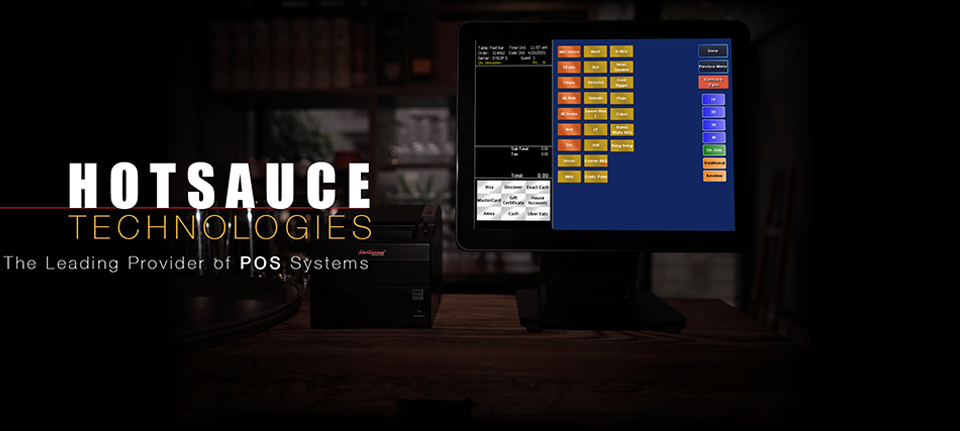
Brand Introduction
Restaurant Technology With Decades of Hospitality Experience
HotSauce Technologies has provided point-of-sale software for restaurants, bars, nightclubs, and other hospitality businesses since 1998.
Its platform combines front-of-house ordering, kitchen communication, management tools, customer programs, online ordering, mobile service, and reporting in a system designed for the pace and complexity of food and beverage operations.
Serve Guests More Efficiently
Manage tables, checks, tabs, courses, modifiers, gratuities, discounts, payments, and other daily restaurant workflows.
Keep Orders Moving
Route items to the correct kitchen or bar location using printers, production zones, expo tickets, or kitchen display screens.
Give Managers Greater Visibility
Review sales, labor, employee performance, product activity, discounts, comps, voids, payments, and other operational information.
Expand Beyond the Dining Room
Add online ordering, curbside pickup, scheduled orders, delivery workflows, QR-code ordering, mobile ordering, and pay-at-the-table capabilities.
Work With a Real Person
Your Swipe Pay specialist helps you evaluate the system, select the right configuration, coordinate next steps, and remain supported after installation.
Business Types
HotSauce POS for the Way You Serve
A full-service restaurant does not operate like a nightclub. A nightclub does not operate like a coffee shop. A coffee shop does not need the same workflow as a five-course dining room. Swipe Pay starts with your restaurant type, service model, menu, traffic, kitchen, employees, and customer experience. We then help configure HotSauce POS around those realities.
Full-Service Restaurants
Keep Every Table, Course, and Check Moving
HotSauce POS gives servers and managers the tools to handle complex dining-room service without turning every adjustment into a manager intervention.
Support workflows such as:
- Custom dining-room and table layouts
- Occupied and available table visibility
- Guest and seat-number management
- Table transfers
- Server transfers
- Merging tables
- Split items
- Split checks
- Multiple payment methods
- Menu modifiers and special instructions
- Meal coursing
- Hold-and-fire ordering
- Timed holds
- Appetizer and drink-first routing
- Automatic gratuity
- Discounts and comps
- Repeat-round ordering
- House accounts
- Customer history
- Kitchen and bar routing
Built for Businesses Such As:
- Family restaurants
- Casual dining
- Fine dining
- Steakhouses
- Diners
- Breakfast restaurants
- Mexican restaurants
- Italian restaurants
- Seafood restaurants
- Hotel restaurants
- Independent restaurants
- Multi-location restaurant groups
Servers can enter the full order while controlling when different courses are sent to the kitchen. Managers can monitor the entire dining room, transfer tables or guests, adjust orders, and review activity throughout the shift.
Quick-Service & Fast-Casual
Faster Ordering Without Sacrificing Menu Flexibility
Give employees a straightforward ordering experience while maintaining the modifiers, production routing, reporting, and customer-management tools your concept requires.
HotSauce POS can support:
- Counter ordering
- Fast checkout
- Quantity ordering
- Quick keys for popular products
- Menu categories
- Unlimited modifiers
- Combo and choice-set workflows
- Automatic alternate pricing
- Customer-facing payments
- Online ordering
- Curbside pickup
- Orders scheduled in advance
- Kitchen routing
- Kitchen display systems
- Gift cards and loyalty
- Employee permissions
- Sales reporting
- Customer order history
Built for Businesses Such As:
- Fast-food restaurants
- Fast-casual concepts
- Counter-service restaurants
- Sandwich shops
- Delis
- Taquerias
- Ice cream shops
- Dessert concepts
- Juice and smoothie shops
- Grab-and-go businesses
- Concession operations
HotSauce can be configured around the products customers order most frequently, helping employees complete transactions with fewer unnecessary steps.
Bars & Nightclubs
Built for Speed When Every Second Matters
A busy bar needs more than a standard restaurant checkout screen.
HotSauce POS includes tools designed to help bartenders open tabs, repeat rounds, process quick transactions, route drink orders, manage happy-hour pricing, and keep service moving during high-volume periods.
Support workflows such as:
- Fast Bar ordering
- Open bar tabs
- Chip-reader bar tabs
- Repeat-round ordering
- Quick keys
- Drink recipes
- Automatic happy-hour pricing
- Separate bar production printing
- Server or bartender banking
- Split payments
- Tips and gratuities
- Employee permissions
- Sales by bartender
- Real-time performance reporting
- Customer loyalty
- Table or room timers
Built for Businesses Such As:
- Standalone bars
- Nightclubs
- Taverns
- Sports bars
- Cocktail lounges
- Breweries
- Wineries
- Music venues
- Entertainment venues
- High-volume hospitality businesses
Fast Bar allows an order and payment to be processed from one screen for faster transaction completion. Open-tab functionality allows staff to continue adding items without rebuilding the guest’s transaction each time.
Cafés, Bakeries & Specialty Food
Simple for the Counter. Powerful Behind the Scenes.
Create a quick ordering experience for guests while maintaining control over menus, modifiers, employees, online orders, gift cards, and reporting.
Built for Businesses Such As:
- Coffee shops
- Bakeries
- Donut shops
- Cafés
- Tea shops
- Ice cream shops
- Frozen-yogurt businesses
- Juice bars
- Candy and dessert shops
- Specialty food concepts
Configure quick-access buttons for best sellers, offer different product sizes and add-ons, manage limited-availability items, and route food and beverage items to the appropriate preparation areas.
Online ordering can give customers an additional way to place pickup, curbside, delivery, or future orders.
Pizzerias
Make Complicated Pizza Orders Easier to Enter and Prepare
Pizza ordering can involve sizes, crusts, sauces, preparation instructions, and toppings divided between different portions of the same item.
HotSauce POS supports pizza-specific modifier workflows that can communicate left-half and right-half toppings to the kitchen while applying the appropriate pricing.
Support capabilities such as:
- Multiple pizza sizes
- Left-half and right-half modifiers
- Different portion pricing
- Unlimited item modifiers
- Universal instructions
- Carryout
- Delivery
- Future orders
- Driver routing
- Customer order history
- Repeat ordering
- Online ordering
- Delivery-radius verification
- Kitchen routing
- Kitchen displays and printers
- Gift cards and loyalty
Built for Businesses Such As:
- Independent pizzerias
- Delivery-focused pizza restaurants
- Full-service pizza concepts
- Fast-casual pizza businesses
- Multi-location pizzerias
Customer information and previous-order history can also help employees serve regular customers and repeat complex orders more efficiently.
Delivery, Carryout & Catering
Manage Orders That Extend Beyond the Dining Room
Give customers more ways to place orders while helping employees manage future orders, delivery activity, customer information, and kitchen production.
HotSauce POS can support:
- Carryout orders
- Delivery orders
- Scheduled future orders
- Catering orders
- Online ordering
- Curbside pickup
- Delivery-address verification
- Customer phone-number lookup
- Saved customer requests
- Previous-order history
- Driver assignment
- Driver status
- Driver sales and tip reporting
- House accounts
- School and business invoicing workflows
Profit-center reporting can help operators compare dining-room, carryout, delivery, patio, banquet, or other areas of the business.
Entertainment & Timed Venues
Track More Than Tables
HotSauce POS includes table-timer capabilities that can also support businesses renting tables, rooms, lanes, or other timed spaces.
Potential Uses Include:
- Pool halls
- Bowling alleys
- Buffets
- Entertainment centers
- Private rooms
- Membership clubs
- Event spaces
- Hospitality venues with timed rentals
Managers can monitor which spaces are occupied, which are available, how many guests are assigned, and how long each space has been in use.
Multi-Location Restaurant Groups
Greater Visibility Across Every Location
HotSauce Mission Control provides a centralized location for accessing reporting, labor scheduling, and inventory information.
Owners, executives, accountants, district managers, and store managers can review individual-location performance or compare activity across multiple locations.
A multi-location configuration may support:
- Location-level reporting
- Comparative sales analysis
- Labor visibility
- Inventory management
- Product performance
- Employee performance
- Menu and pricing oversight
- Profit-center reporting
- Multiple management access levels
- Scheduled report delivery
- Expansion planning
Your Swipe Pay specialist can help coordinate a solution for your current locations while considering the equipment, reporting, and operational standards needed as you grow.
Not Sure Which Configuration Fits Your Concept?
Tell us how your restaurant serves guests, how many employees use the system, where orders are prepared, and what you need to improve.
Your Swipe Pay specialist will help create a recommendation around:
- Your business type
- Service model
- Menu complexity
- Number of locations
- Number of workstations
- Dining-room layout
- Kitchen stations
- Bar operations
- Online-order volume
- Delivery or carryout needs
- Employee workflow
- Payment-processing volume
- Reporting requirements
- Plans for growth
Front of House
Give Employees the Tools to Handle Real Restaurant Service
HotSauce POS includes restaurant-specific functions designed to reduce unnecessary steps and help employees manage complex orders more confidently.
Efficient Ordering
Create, update, transfer, split, merge, hold, fire, and complete orders from a workflow designed for food and beverage service.
Unlimited Modifiers
Attach modifiers to individual menu items or create universal modifiers that can be used across checks, tabs, and products.
Split Items and Checks
Divide shared items among guests or separate one table into individual checks and payment methods.
Seat Management
Assign items to specific guests so multiple employees can understand who ordered what.
Meal Coursing
Set multiple courses on one check and send each course to the kitchen when the guest is ready.
Hold, Fire, and Timed Holds
Enter items without immediately sending them to production. Release them manually or establish a timed hold.
Quick Keys
Keep popular products, instructions, and modifiers accessible even when employees are working in another menu category.
Repeat Orders
Use a reorder function to enter another round without recreating every modifier and instruction.
Table and Guest Transfers
Move a table, transfer service to another employee, or move individual guests without rebuilding the order.
Automatic Gratuity
Establish gratuity rules and thresholds for qualifying checks.
Happy-Hour Pricing
Apply alternate prices to selected products during predetermined periods.
House Accounts
Allow approved customers, schools, organizations, or businesses to charge orders to an account and pay later.
Management
Give Managers More Control During Every Shift
HotSauce POS provides tools for monitoring the dining room, employees, sales, menu availability, discounts, and other activity while service is happening.
Custom Dining-Room Display
Create an on-screen table layout based on the restaurant’s physical dining room.
All-Table Visibility
Allow authorized managers to review and adjust open tables throughout the restaurant.
86 Item Management
Mark unavailable items so employees cannot continue ordering products the kitchen no longer has.
Item Countdowns
Track limited quantities and automatically place an item on the 86 list after the available count reaches zero.
Real-Time Sales Information
Monitor performance during the day instead of waiting until the restaurant closes.
Real-Time Labor Information
Review labor activity during the shift and identify when staffing may need to be adjusted.
Employee Messaging
Share specials, unavailable items, reminders, or individual messages with employees through the system.
Voids, Comps, and Discounts
Track why products were removed, discounted, wasted, spilled, prepared incorrectly, or given to a guest.
Profit-Center Tracking
Separate dining-room, patio, banquet, delivery, carryout, bar, or other revenue areas for more useful analysis.
End-of-Day Reporting
Automate payment settlement and send selected reports to owners, managers, or accountants.
Platform Tools
Everything Behind the Counter, Connected
Employee Management
Understand Labor, Permissions, and Performance
Maintain a database of employee information while controlling which areas of the system each person can access.
HotSauce POS can help managers:
- Track hours worked
- Review timecards
- Edit time entries
- Monitor employees approaching overtime
- Calculate labor by job
- Calculate labor by hour
- Review sales by employee
- Track tips
- Manage security permissions
- Use manager cards
- Add fingerprint access equipment
- Compare server performance
- Send employee messages
- Review timecard changes
- Maintain audit trails
Your Swipe Pay specialist can help identify the employee-management tools relevant to your operation and coordinate the appropriate access structure.
Menu Management
Build the System Around Your Menu
Your restaurant’s menu should determine how the system is configured—not the other way around.
HotSauce POS allows restaurants to create and organize:
- Menu categories
- Menu items
- Sizes
- Choice sets
- Attached modifiers
- Universal modifiers
- Special instructions
- Alternate prices
- Happy-hour prices
- Inclusive-tax prices
- Recipes
- Item costs
- Limited quantities
- Unavailable products
- Production destinations
Menu items can be added, edited, removed, repriced, or temporarily marked unavailable as the business changes.
Employees can also access item recipes or ingredient information to better respond to guest questions. Any allergen or dietary information should still be verified according to the restaurant’s own procedures.
Kitchen Operations
Send the Right Information to the Right Place
HotSauce POS can route orders to different production areas so employees see the information relevant to their station.
Multiple Kitchen Printers
Send products only to the kitchen or bar printers responsible for preparing them.
Production Zones
Route menu categories to different preparation locations without printing the complete order at every station.
Expo Printing
Provide the expediter with a complete view of the order while individual stations receive their assigned products.
Ticket Consolidation
Group similar products together to make kitchen tickets easier to read and call.
Kitchen Ticket Summaries
Give production stations enough context to coordinate an order without displaying unnecessary preparation details.
Kitchen Display System
Replace or supplement printed tickets with screens and bump bars that help kitchen employees organize incoming orders.
Flexible Kitchen Configuration
Use KDS screens, printed tickets, or a combination based on the needs of each production station.
Kitchen Display System
Keep Orders Visible, Organized, and Moving
HotSauce KDS synchronizes incoming orders with the kitchen to help improve food-preparation workflow.
A KDS configuration may help your team:
- View incoming orders
- Organize production
- Reduce reliance on printed tickets
- Route orders by station
- Coordinate multiple preparation areas
- Manage orders from the POS
- Receive supported online orders
- Maintain an expo workflow
- Combine screens and printers where appropriate
The correct number and placement of screens depends on your kitchen layout, menu, service model, production volume, and existing ticket process.
Mobile POS
Take Orders and Payments to the Guest
HotSauce Mobile POS is available on the PAX A920 all-in-one payment terminal and can complement the primary HotSauce POS system with order-and-pay-at-the-table capabilities.
Employees can use the handheld device to:
- Start a table
- Create an order
- Add products
- Accept payment
- Complete tableside transactions
- Reduce trips between the guest and a stationary POS
- Provide a more convenient checkout experience
Ideal for:
- Full-service restaurants
- Patios
- Large dining rooms
- Bars
- Curbside transactions
- Line-busting
- Mobile service areas
- Venues with multiple revenue locations
Swipe Pay will help determine whether mobile devices should serve as payment terminals, ordering devices, or both within your proposed configuration.
Online Ordering
Turn Your Website Into Another Ordering Channel
HotSauce Online Ordering provides restaurants with a customizable ordering website connected to the HotSauce POS system.
Customers can place supported orders for:
- Pickup
- Curbside service
- Delivery
- Ordering in advance
- Future dates and times
Available capabilities can include:
- Customizable web design
- Menu-item photos
- Restaurant information
- Automatic kitchen printing
- Estimated wait times
- Order confirmations
- Auto-accept configuration
- Delivery-radius validation
- Scheduled ordering
- Pickup and curbside options
- Online-order reporting
Online orders can be sent into the restaurant’s production workflow instead of requiring employees to re-enter every order from another tablet or handwritten ticket.
Managers can adjust estimated wait times or temporarily disable online ordering when the kitchen becomes overwhelmed.
QR-Code Ordering
Give Guests a Faster Way to Reach Your Menu
QR codes can provide direct access to the restaurant’s online-ordering experience.
They can be placed on:
- Tables
- Menus
- To-go menus
- Receipts
- Coupons
- Flyers
- Hotel-room materials
- Event signage
- Marketing materials
Table-specific QR codes can allow guests to place orders connected to their table. Supported orders can then enter the kitchen workflow while notifying front-of-house employees.
Gift Cards & Loyalty
Encourage Guests to Return
HotSauce POS supports gift-card and guest-loyalty capabilities that can help restaurants maintain stronger customer relationships.
Gift Cards
Presell and track gift-card balances through the POS system.
Guest Loyalty
Track qualifying customer purchases and allow guests to accumulate points that may be redeemed for products or services.
Customer Database
Store customer information using phone numbers and review details such as:
- Order history
- Previous purchases
- Saved requests
- Sales activity
- Customer profiles
- Relevant demographic filters
Available program configuration, card requirements, redemption rules, fees, and customer-consent requirements should be reviewed before launch.
Reporting
Turn Restaurant Activity Into Useful Information
HotSauce POS includes a broad collection of reports covering sales, payments, labor, products, employees, discounts, and system activity.
Available reporting categories can include:
Sales Reporting
- Daily summaries
- Time-period sales
- Department sales
- Profit-center sales
- Revenue summaries
- Workstation sales
- Employee sales
- Guest-count analytics
Product Reporting
- Product mix
- Comparative product mix
- Hourly product mix
- Top-selling products
- Product information
- Item-sold tracking
- Theoretical item cost
Labor Reporting
- Labor cost by job
- Labor cost by hour
- Timecards
- Biweekly timecards
- Overtime monitoring
- Employee information
- Tip income
- Payroll-related reports
Payment Reporting
- Payment breakdown
- Daily payment details
- Credit-card history
- Batch reporting
- Cash due
- On-hand cash
- Transaction lookup
Audit Reporting
- Voids
- Comps
- Discounts
- Returns
- Transfers
- Reopened checks
- Timecard changes
- Price changes
- Cash-register activity
- Configuration changes
Your Swipe Pay specialist can help identify which reports matter most to your restaurant and who should receive or access them.
Mission Control
Access Key Management Information From One Central Location
HotSauce Mission Control provides centralized access to reporting, labor scheduling, and inventory information.
It can be useful for:
- Restaurant owners
- Corporate executives
- Accountants
- District managers
- General managers
- Multi-location operators
Mission Control can help authorized users review an individual location or compare information across multiple restaurants without relying on repetitive manual reporting.
Inventory & Cost Control
Understand What You Sell—and What It Costs
A restaurant’s sales numbers only tell part of the story.
HotSauce inventory and item-cost tools can help operators connect products sold with ingredients, recipes, costs, comps, and physical inventory activity.
Depending on the selected configuration, restaurants may be able to:
- Enter product costs
- Build recipes
- Track theoretical food cost
- Record purchased inventory
- Monitor product depletion
- Perform physical counts
- Compare theoretical and actual inventory
- Identify waste
- Review margins
- Identify popular items
- Monitor food and liquor costs
Inventory management requires accurate setup, recipes, vendor information, invoices, and physical counts to produce useful results.
Software Integrations
Connect HotSauce With Other Business Tools
HotSauce lists integrations or supported relationships with outside software providers, including:
- QuickBooks
- Orca
- Chowly
Integration capabilities, supported versions, separate agreements, fees, implementation requirements, and current availability should be confirmed for the merchant’s specific configuration.
Swipe Pay will help verify any integration that is essential to your operation before presenting the final recommendation.
System Configuration
One Restaurant. One Purpose-Built Configuration.
A HotSauce POS system may include a combination of:
- Primary countertop workstations
- Additional ordering stations
- Customer-facing payment equipment
- PAX A920 mobile devices
- Cash drawers
- Receipt printers
- Kitchen printers
- Bar printers
- Expo printers
- Kitchen display screens
- Bump bars
- Manager cards
- Fingerprint readers
- Network equipment
- Online ordering
- Mission Control
- Gift-card and loyalty tools
- Approved integrations
The appropriate configuration depends on your floor plan, menu, kitchen, bar, service model, transaction volume, internet environment, and staffing.
Pricing
Pricing Should Fit the Restaurant—not Just the Equipment
The complete cost of a restaurant POS system can include:
- POS hardware
- Payment terminals
- Printers and kitchen equipment
- Software
- Online ordering
- Mission Control
- KDS
- Mobile devices
- Gift-card and loyalty services
- Integrations
- Installation
- Menu configuration
- Training
- Payment-processing fees
- Support services
- Replacement or protection programs
Swipe Pay will help you evaluate the complete proposal instead of selecting a system based only on an advertised terminal price.
Processing Options
Choose a Payment Strategy Around Your Priorities
Swipe Pay can review multiple payment-processing approaches for qualifying HotSauce POS merchants.
Availability depends on underwriting, business type, transaction activity, equipment compatibility, applicable laws, card-brand rules, and the selected program.
Traditional Pricing
Keep the Guest Experience Familiar The restaurant pays the applicable processing fees without adding a separate card-related amount to the guest’s transaction. This may be preferred by restaurants that want to maintain one posted price regardless of payment method.
Interchange-Plus Pricing
Greater Visibility Into Processing Cost Interchange-plus pricing separates the underlying card-network interchange cost from the processor’s markup. This can provide greater pricing transparency and may be beneficial for restaurants with sufficient volume or a favorable transaction mix.
Surcharging
Add a Disclosed Fee to Eligible Credit-Card Transactions A compliant surcharge program may be available to qualifying restaurants. Surcharging is subject to state laws, card-brand requirements, notice obligations, fee limits, equipment compatibility, and restrictions on debit and prepaid cards. Swipe Pay will determine whether a surcharge program is available and appropriate for the restaurant.
Dual Pricing or Cash-Discount Programs
Give Guests a Choice Between Cash and Card Pricing HotSauce supports cash-discount or non-cash-fee functionality. A properly structured program may allow a restaurant to offer different pricing based on the customer’s payment method and offset a significant portion of card-processing costs.
Customized Pricing
Pricing Based on the Restaurant’s Actual Activity Restaurants with higher processing volume, multiple locations, or specialized requirements may qualify for custom pricing. A personalized review can consider: Monthly processing volume, Average transaction amount, Credit and debit mix, Card-present activity, Online-order activity, Number of locations, Chargeback activity, Current rates and fees, Equipment requirements, Existing contract terms.
Dual Pricing and Cash-Discount Programs
Proper implementation may require:
- Compliant posted pricing
- Entrance and point-of-sale signage
- Clear menu disclosures
- Accurate receipt language
- Correct POS programming
- Employee training
- Debit-card handling procedures
- Compliance with applicable laws and card-brand requirements
The exact program structure must be reviewed before it is marketed or activated.
Equipment Options
Ask About Available HotSauce Equipment Programs
Depending on the restaurant, selected configuration, processing volume, and approval, different equipment arrangements may be available.
Potential options may include:
- Equipment purchase
- Monthly hardware arrangements
- Equipment-placement programs
- Promotional equipment offers
- Bundled equipment and processing
- Multi-station packages
- Upgrade options for qualifying businesses
Not every option is available to every restaurant.
Any equipment described as included, discounted, placed, or free may require processing commitments, minimum volume, an agreement term, or other conditions. Swipe Pay will explain the requirements before enrollment.
Why Swipe Pay
Why Choose HotSauce POS Through Swipe Pay?
HotSauce provides the restaurant technology.
Swipe Pay helps ensure the system, equipment, payment strategy, and support relationship work for your business.
Swipe Pay Point of Contact
Work with a real person who understands your restaurant instead of beginning with a different representative every time you need assistance. Your Swipe Pay specialist remains involved from the initial consultation through setup and beyond.
Multiple Pricing Approaches
Swipe Pay can review traditional, interchange-plus, dual-pricing, cash-discount, surcharge, and customized-processing options when available and appropriate.
Training and Demonstration Support
A restaurant POS is only effective when employees understand how to use it. Swipe Pay can coordinate available demonstrations, onboarding resources, and training assistance for managers and employees.
Restaurant-Specific Needs Assessment
We evaluate more than the number of registers you need. Your consultation can include:
- Menu complexity
- Table service
- Bar operations
- Kitchen production
- Online ordering
- Delivery and carryout
- Employee roles
- Reporting
- Payment-processing volume
- Current technology
- Plans for growth
Personalized System Design
We help determine:
- How many workstations you need
- Where each workstation should be placed
- Which printers or KDS screens are appropriate
- Whether mobile devices make sense
- Which add-on modules provide value
- Which features your restaurant can avoid paying for
Equipment Demonstrations
See supported HotSauce equipment and workflows before making your final decision. Ask questions about:
- Ordering
- Modifiers
- Tables
- Bar tabs
- Payments
- Kitchen routing
- Online ordering
- Management
- Reporting
- Employee use
Guided Implementation
Your Swipe Pay specialist can help coordinate the steps involving:
- Application
- Underwriting
- Equipment
- Menu information
- Configuration
- Installation
- Training
- Payment setup
- Online ordering
- Launch planning
Ongoing Relationship
Your Swipe Pay specialist remains a resource when you:
- Add equipment
- Add employees
- Change your menu
- Explore online ordering
- Add mobile devices
- Open another location
- Review processing expenses
- Change service models
- Need help identifying the correct support path
Selecting a POS Alone vs. Building It With Swipe Pay
Choosing a POS Without Personal Guidance
- Compare restaurant features yourself
- Estimate the number of stations
- Choose equipment from pictures
- Determine kitchen-routing requirements
- Review processing pricing
- Understand equipment terms
- Coordinate implementation
- Find the correct support department when problems arise
Choosing HotSauce Through Swipe Pay
- Complete a restaurant-specific consultation
- Work with a Swipe Pay specialist
- Receive a personalized equipment recommendation
- Review front- and back-of-house workflows
- Compare available processing models
- Request an equipment demonstration
- Coordinate setup and training steps
- Maintain an ongoing service relationship
Current POS Review
Already Using Another Restaurant POS?
Changing systems should solve meaningful problems—not simply replace one screen with another.
Swipe Pay can review your current:
- POS system
- Equipment
- Processing statement
- Rates and fees
- Contract
- Menu workflow
- Kitchen routing
- Online ordering
- Reporting
- Employee experience
- Guest experience
- Support relationship
We will help you compare the proposed HotSauce system against what your restaurant uses today.
The goal is to identify whether HotSauce can create a meaningful improvement in service, workflow, visibility, processing cost, or support.
Implementation Process
Your HotSauce POS Starts With a Restaurant Review
01
Tell Us About Your Restaurant
Share your concept, service model, menu, number of locations, current system, and what you need to improve.
02
Meet Your Swipe Pay Specialist
A Swipe Pay specialist will discuss your restaurant’s front-of-house, kitchen, management, and payment-processing needs.
03
Review Your Recommended Configuration
Compare the proposed workstations, payment equipment, printers, KDS, mobile devices, software modules, and processing approach.
04
See the System in Action
Schedule an available demonstration to review key HotSauce workflows and equipment.
05
Review Your Complete Proposal
Understand the equipment, software, processing, add-ons, agreement terms, and implementation steps before making a decision.
06
Prepare the System
Coordinate menu information, configuration details, employee roles, kitchen routing, reporting needs, and payment setup.
07
Train and Launch
Prepare managers and employees to use the system and coordinate the restaurant’s transition.
08
Keep Your Point of Contact
Continue working with your Swipe Pay specialist as your restaurant changes and grows.
Get Started
Let’s Build Your HotSauce POS
Tell us about your restaurant and what you need from your next point-of-sale system.
A Swipe Pay specialist will review your information and contact you with personalized recommendations.
No-pressure restaurant technology consultation. Your information will be used to contact you regarding your requested POS and payment-processing review.
FAQs
Frequently Asked Questions
What is HotSauce POS?
HotSauce POS is a hospitality-focused point-of-sale system designed for restaurants, bars, nightclubs, quick-service businesses, and other food and beverage operations.
It includes restaurant ordering, table management, menu configuration, kitchen routing, employee tools, customer management, reporting, and optional add-on solutions.
What businesses are the best fit for HotSauce POS?
HotSauce is primarily designed for:
Full-service restaurants
Quick-service restaurants
Fast-casual concepts
Bars and nightclubs
Cafés
Bakeries
Pizzerias
Delis
Ice cream shops
Delivery and carryout restaurants
Multi-location hospitality groups
Its table-timer functions can also support certain entertainment and timed-rental businesses.
Why should I get HotSauce through Swipe Pay?
Swipe Pay provides a Swipe Pay specialist who can help you evaluate your restaurant’s needs, recommend a configuration, review payment-processing options, schedule demonstrations, and coordinate the next steps.
You receive HotSauce technology with a personalized business relationship.
Is HotSauce cloud-based?
HotSauce states that its core POS system is not currently cloud-based and that primary system information is held on the POS terminal.
HotSauce Mission Control provides centralized access to supported reporting, labor-scheduling, and inventory information.
Your Swipe Pay specialist will explain the system architecture, remote-access capabilities, connectivity requirements, backups, and data-management procedures associated with the proposed configuration.
Can HotSauce work for a full-service restaurant?
Yes. HotSauce supports restaurant-specific functions such as table maps, seat numbers, split checks, split items, table transfers, meal coursing, hold-and-fire ordering, gratuities, kitchen routing, bar printing, and employee banking.
Can HotSauce work for quick service?
Yes. HotSauce can be configured for faster counter ordering using quick keys, menu categories, modifiers, quantity ordering, online ordering, KDS, and streamlined checkout workflows.
Can HotSauce manage bar tabs?
Yes. HotSauce offers bar-tab functionality, Fast Bar ordering, chip-reader bar tabs, repeat ordering, happy-hour pricing, bar printing, and other tools for bars and nightclubs.
Does HotSauce support tableside ordering and payments?
HotSauce Mobile POS is available on the PAX A920 terminal and supports order-and-pay-at-the-table capabilities.
The exact functions and connectivity requirements should be reviewed for the proposed system.
Does HotSauce offer online ordering?
Yes. HotSauce offers a customizable online-ordering website integrated with the POS.
Supported options can include pickup, curbside service, delivery, ordering in advance, customer confirmations, estimated wait times, and kitchen routing.
Does HotSauce support QR-code ordering?
Yes. QR codes can be used to direct customers to the restaurant’s online-ordering website.
Table-specific QR ordering may also be configured for supported restaurant workflows.
Does HotSauce integrate directly with third-party delivery services?
Integration availability can change and may depend on outside providers.
HotSauce lists Chowly among its software integrations, but the required delivery service, order flow, fees, and current compatibility should be verified before the restaurant commits to the system.
Can HotSauce manage delivery drivers?
HotSauce includes driver-routing functions that can assign orders, track driver status, and organize sales and tips by driver.
Does HotSauce offer a kitchen display system?
Yes. HotSauce KDS can display and organize incoming kitchen orders. Restaurants can use KDS screens, printed tickets, or a combination.
Can HotSauce route orders to different kitchen stations?
Yes. Menu items can be sent to different printers or production zones so each station receives the products it prepares.
Does HotSauce support complex modifiers?
Yes. HotSauce supports attached item modifiers, unlimited universal modifiers, special instructions, and pizza-specific left-half and right-half modifiers.
Can HotSauce manage gift cards and loyalty?
Yes. HotSauce offers gift-card tracking and guest-loyalty capabilities.
Program terms, cards, fees, points, rewards, and customer-data procedures should be reviewed before launch.
Can HotSauce manage employees?
HotSauce provides employee information, timecards, labor reporting, overtime monitoring, security permissions, performance reporting, and related management tools.
What reports are available?
HotSauce offers reports covering sales, labor, employees, payments, product mix, profit centers, batches, tips, voids, comps, discounts, returns, transactions, and system audit activity.
The exact reports available can depend on the selected configuration.
Can HotSauce support multiple locations?
Yes. HotSauce Mission Control provides centralized access to supported reporting, labor scheduling, and inventory information and can be used to compare activity across multiple locations.
Does HotSauce integrate with QuickBooks?
HotSauce lists QuickBooks among its software integrations.
Supported versions, data flow, implementation requirements, and additional costs should be confirmed before enrollment.
How much does HotSauce POS cost?
Pricing depends on the number of workstations, payment devices, printers, kitchen equipment, software modules, online ordering, Mission Control, KDS, integrations, implementation, and payment-processing program.
Swipe Pay will provide a customized proposal based on the restaurant’s configuration.
Can I receive free HotSauce equipment?
Equipment-placement or promotional programs may be available to qualifying businesses.
Any offer depends on approval, processing volume, selected equipment, processing commitments, agreement terms, and other conditions. Swipe Pay will disclose the complete requirements before enrollment.
Does HotSauce support cash discount or dual pricing?
HotSauce includes cash-discount or non-cash-fee functionality.
The program must be properly structured and implemented according to the specific pricing model, card-brand requirements, applicable laws, signage, menu disclosures, receipt language, and employee procedures.
Can Swipe Pay review my current processing statement?
Yes. Your Swipe Pay specialist can review your current processing volume, rates, fees, average transaction, card mix, and existing terms as part of the consultation.
Will Swipe Pay help train my employees?
Swipe Pay can coordinate available product demonstrations, implementation guidance, and training resources based on your selected system and location.
What if HotSauce is not the right POS for my restaurant?
Swipe Pay works with multiple point-of-sale and payment technologies.
If HotSauce does not support an essential integration, workflow, or business requirement, Swipe Pay can discuss alternative solutions instead of forcing your restaurant into the wrong platform.
HotSauce Technology + Local Swipe Pay Support
Your Restaurant Was Not Built From a Template. Your POS Should Not Be Either.
Get a HotSauce POS system configured around your menu, tables, bar, kitchen, employees, guests, locations, and payment-processing goals.
And get a Swipe Pay specialist who remains in your corner long after the system is installed.
- Restaurant-Focused Technology
- Personalized Configuration
- Flexible Pricing Options
- Ongoing Support